Integration layer
Integrations are services, not plugins.
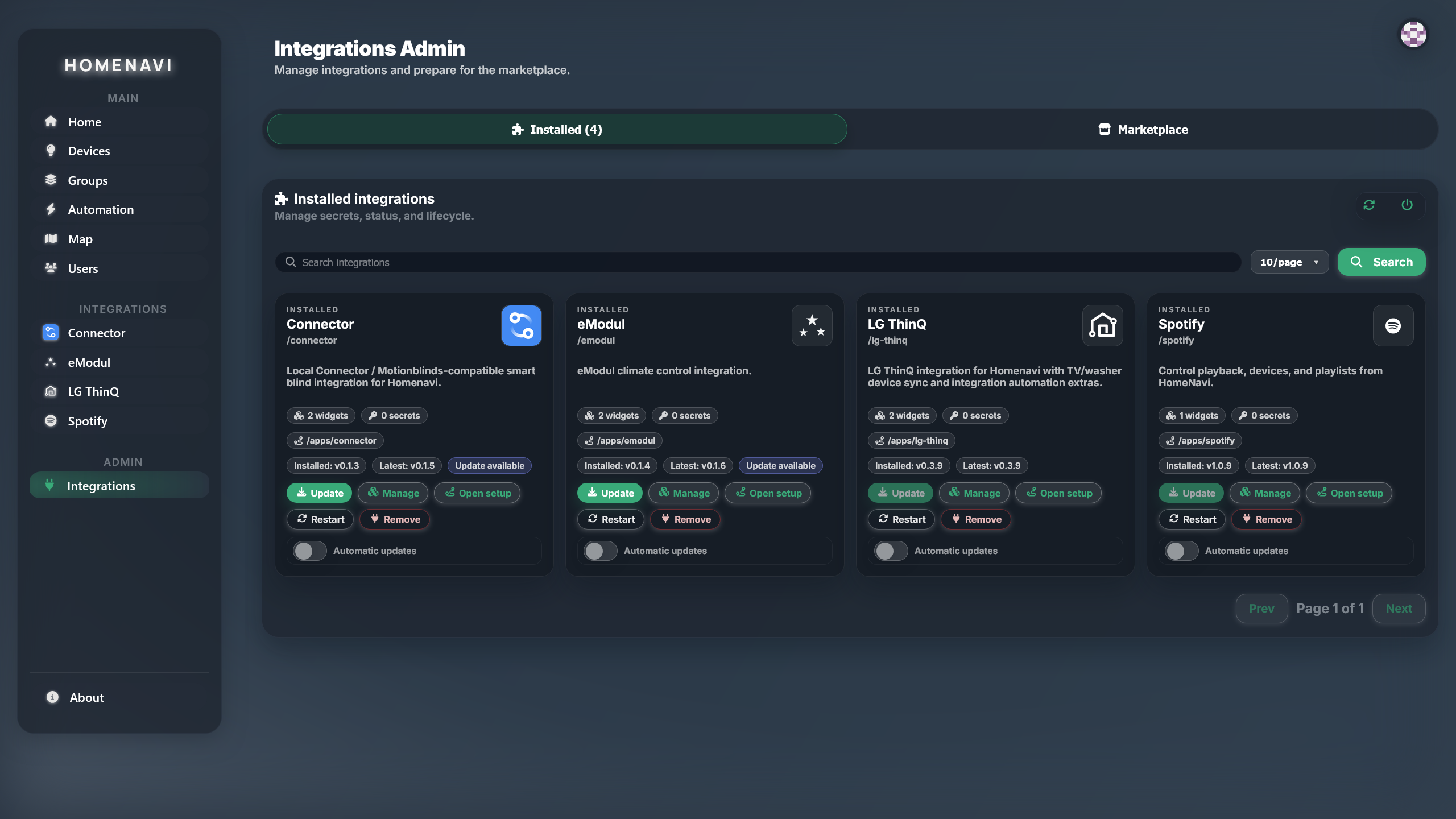
An integration is a standalone service with a manifest. It declares the widgets it contributes, the devices it adds, the automations it can trigger, and how it authenticates. The integration proxy deploys it from your Compose or Helm artifacts and registers it with the platform.
{
  "id": "homenavi-spotify",
  "name": "Spotify",
  "version": "1.4.2",
  "listen_path": "/spotify",
  "homepage": "https://spotify.homenavi.org",
  "widgets": [
    { "type": "now-playing", "name": "Now playing" },
    { "type": "playlist", "name": "Playlists" }
  ],
  "device_extension": true,
  "automation_extension": true,
  "auth": { "type": "oauth2", "provider": "spotify" },
  "ui": true,
  "deployment": {
    "compose": "compose/docker-compose.dev.yml",
    "helm": "helm/homenavi-spotify"
  }
}
What the manifest declares
Every field in the manifest is a contract with the platform. The proxy reads it, the dashboard consumes it, and the marketplace publishes it.
listen_pathWhere the integration is mounted inside the platform, and its public URL.
widgetsDashboard widgets the integration contributes, declared by type.
device_extensionAdds real devices to the device hub as HDP devices, with state and commands.
automation_extensionAdds triggers and actions that automation workflows can use.
authHow the integration authenticates with the external service.
uiWhether the integration ships its own setup and configuration screens.
deploymentCompose and Helm artifacts the integration proxy uses to deploy the service.
Installed integrations appear as first-class features
Once an integration is installed, its widgets appear in the dashboard editor, its devices appear in the device list, and its automation actions appear in the workflow builder. There is no separate plugin panel to learn.
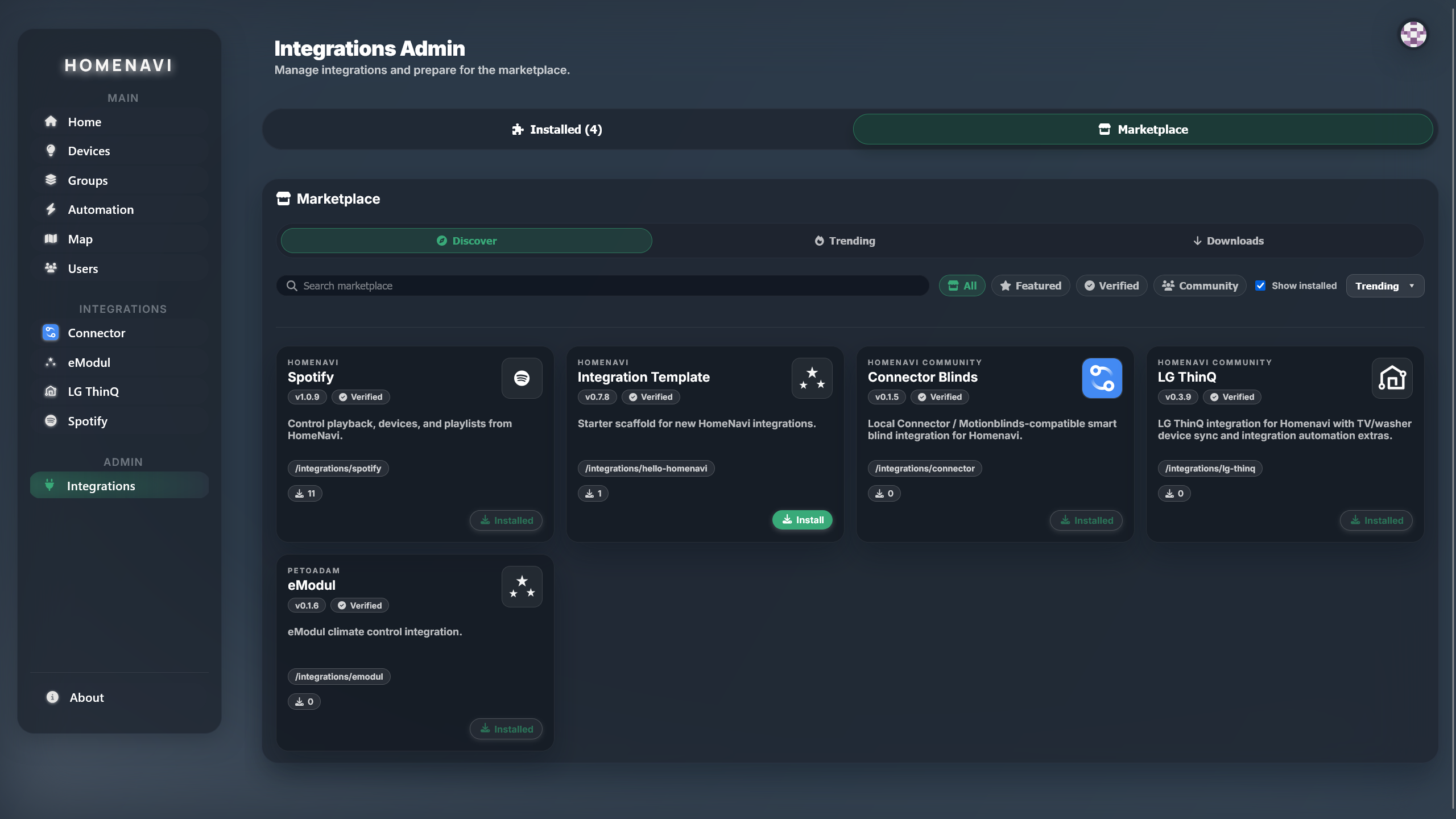
The marketplace is the discovery surface
Verified integrations are published to the marketplace with their manifest, previews, publisher, and deployment artifacts. Install one from the marketplace and the proxy handles the rest.
Registered integrations
Each entry links to its marketplace detail page with manifest, previews and install instructions.
Connector Blinds
Local Connector / Motionblinds-compatible smart blind integration for Homenavi.
Integration Template
Starter scaffold for new HomeNavi integrations.
LG ThinQ
LG ThinQ integration for Homenavi with TV/washer device sync and integration automation extras.
Spotify
Control playback, devices, and playlists from HomeNavi.
eModul
eModul climate control integration.
Build your own integration
Start from the official template. It already wires the manifest, the proxy contract, the marketplace metadata, and the Compose and Helm artifacts.
git clone https://github.com/PetoAdam/homenavi-integration-template
cd homenavi-integration-template
npm install && npm run dev